
Atlas Docs
Keep your project docs organized, readable, and close to your code.
Atlas Docs turns local Markdown, API definitions, and structured files into a browsable project library. Read, edit, search, and connect your documents in one workspace, with images, comments, and revision history alongside the content.
Features · Quick start · Documentation
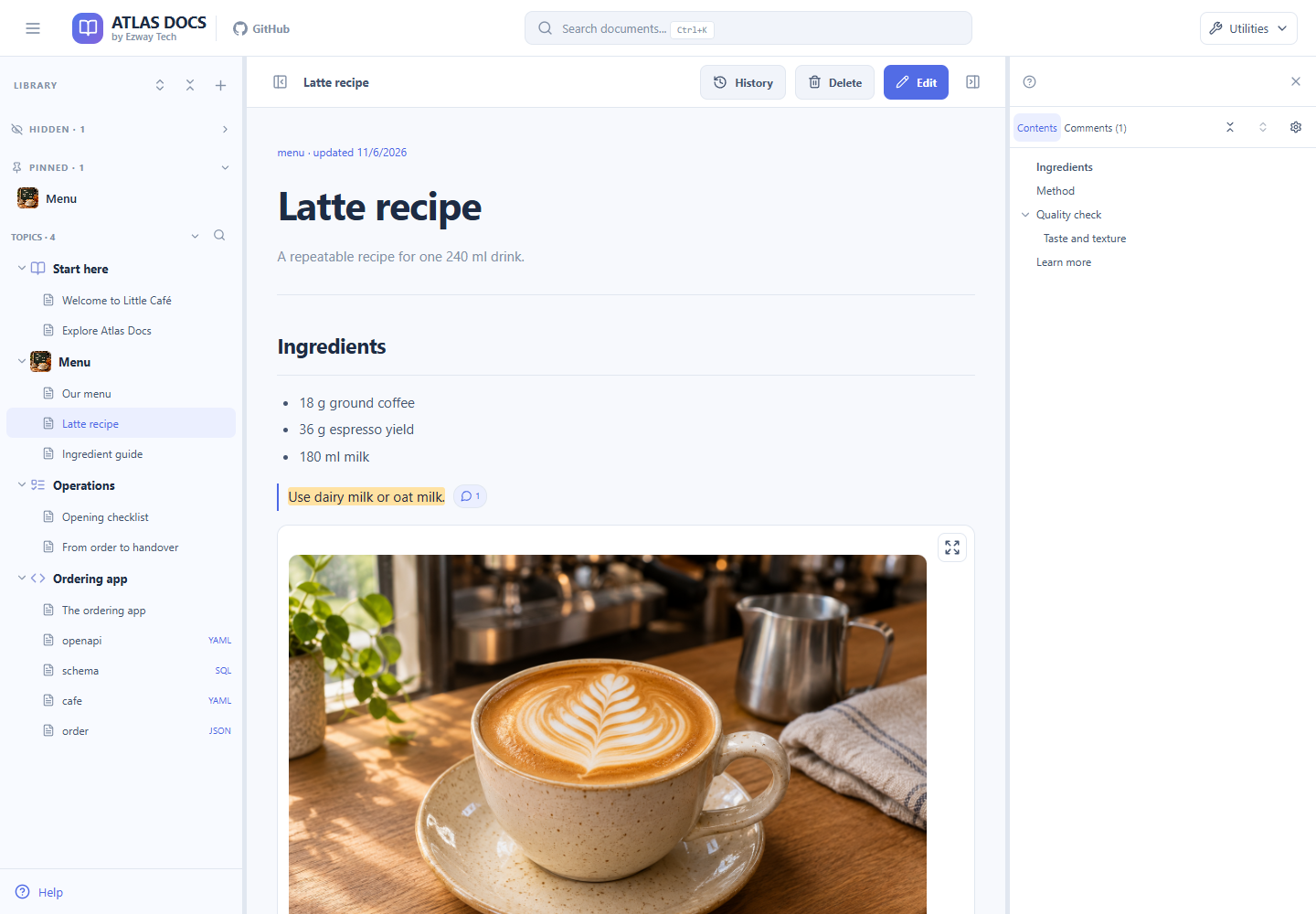
The optional Little Café sample library. New libraries start empty.
Why Atlas Docs?
For the published npm package, see Atlas Docs with npm. For the Docker Hub image, see Docker Hub image. The source-checkout instructions below remain available for development.
Project knowledge often spreads across setup notes, architecture documents, API specs, and database schemas. Atlas Docs gives those files a shared place to browse and maintain.
- Find the context you need. Browse by topic, follow related documents, or search across the library.
- Make technical docs easier to read. View diagrams, API endpoints, and SQL schemas alongside your written explanations.
- Keep the files on your machine. Store documents in a local directory and use Atlas Docs alongside your application repository.
Features
Organize once, find it again
Group documents into folders, pin frequent destinations, and jump through an article using its table of contents. Search documents, folders, and comments across the library or within one folder. Links between documents and incoming references help you follow the bigger picture.
Read more than Markdown
Write explanations with Markdown tables, images, and Mermaid diagrams. Browse OpenAPI definitions with a dedicated endpoint viewer and SQL schemas with a schema viewer. Keep YAML and JSON reference files in the same library, with source views for the details.
Write in the mode that fits
Use Visual for simple prose, Source for direct Markdown editing, Split to write beside the rendered result, or Preview to inspect your draft.
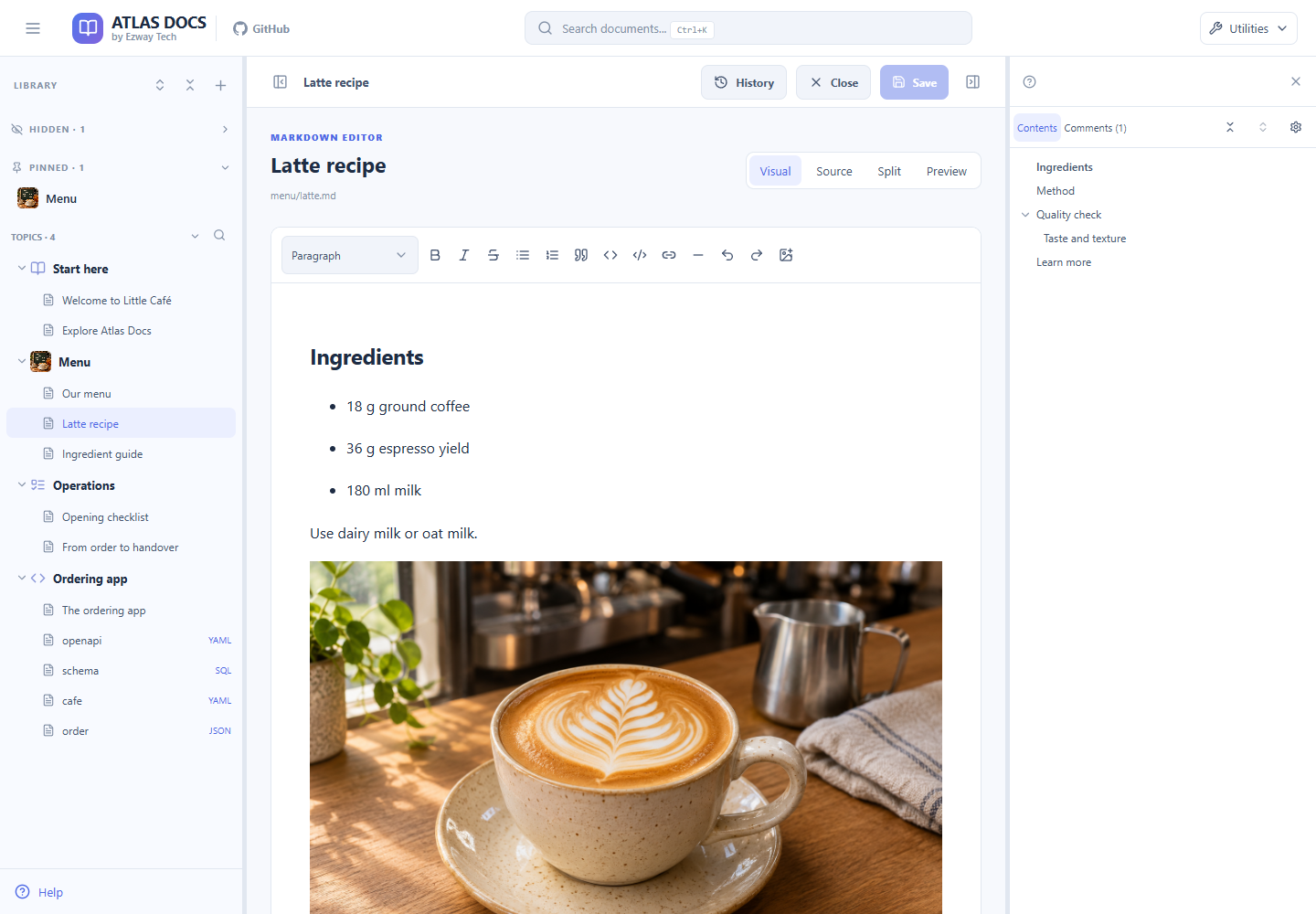
Editing a document in the Little Café sample library.
For complex Markdown, such as tables or Mermaid, Visual mode is disabled to protect the syntax. Use Source, Split, or Preview instead. Structured files use source editing and their corresponding view.
Keep supporting material close
Upload and reuse images and attachments from the resource library. Preview media, see where a resource is used, and insert it into a document. Crop or annotate an image during the insertion workflow to make a screenshot or explanation clearer.
Add context and revisit changes
Attach comments to selected passages. Inspect saved revisions, compare changes, and restore an earlier version when needed. Export a ZIP backup to preserve the library, including attachments and metadata.
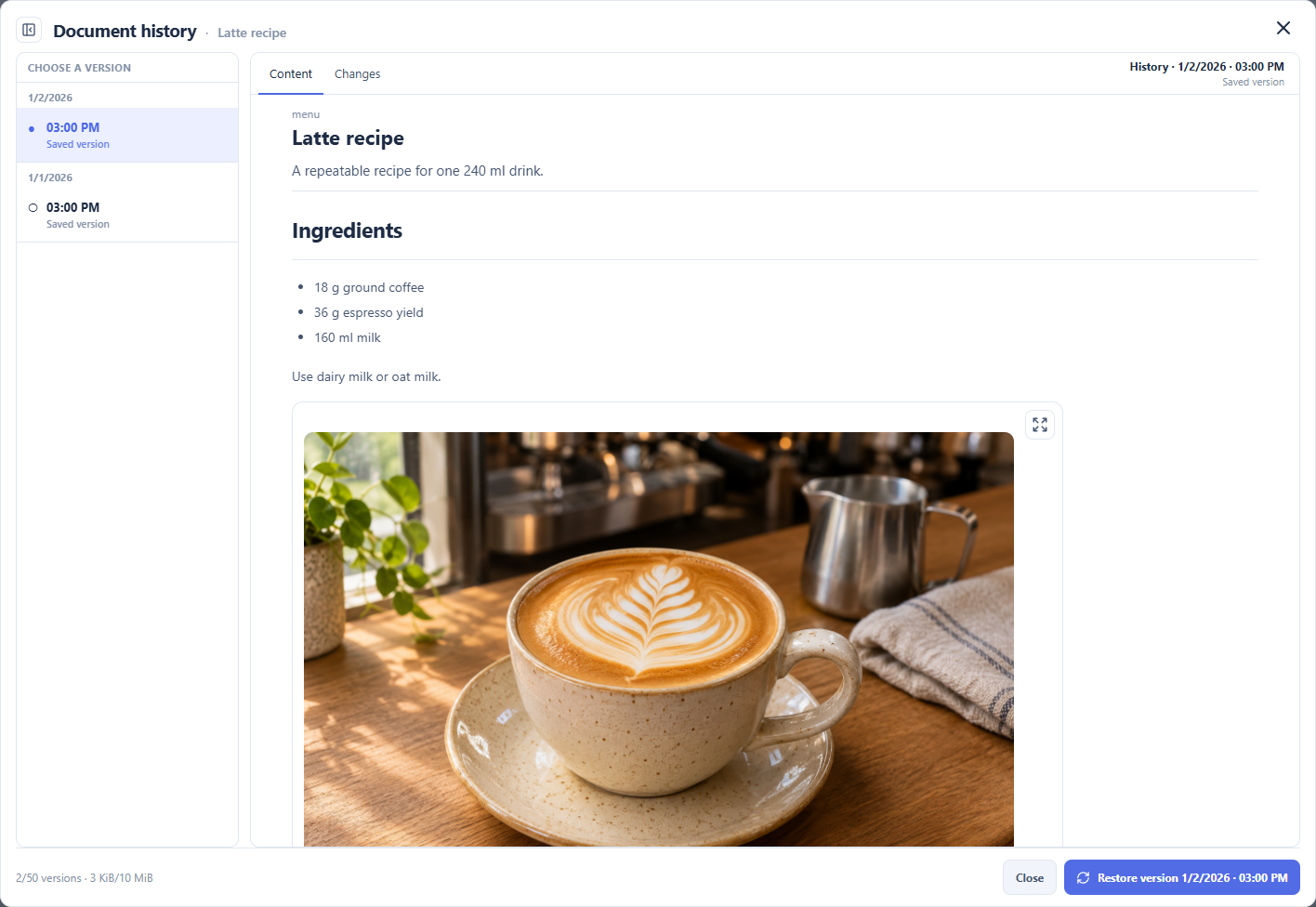
Reviewing an earlier revision in the Little Café sample library.
History records changes saved through the app; direct file edits do not create revisions. Retention is limited, so use backups for long-term recovery. Backup restore requires an empty library. See history and recovery details.
The interface also includes light and dark themes, customizable keyboard shortcuts, and five languages: Vietnamese, English, Simplified Chinese, Spanish, and Japanese. Change these under Utilities; choosing a language does not translate or change your documents. Guides and demo content are in English.
Quick start
Requires Node.js 22.12 or newer for npm and source runs.
Published package (no checkout):
npx atlas-docs@latestOr install globally: npm install -g atlas-docs, then atlas-docs. Default library: ./atlas-docs-data. Default URL http://127.0.0.1:17430 (see npm guide).
Docker Hub image (no checkout): copy docker-compose.hub.yml, then docker compose -f docker-compose.hub.yml up -d. Image ezwaytechvn/atlas-docs; default URL http://127.0.0.1:17430 (override host port with ATLAS_DOCS_PORT); data and upgrade backups use named volumes. See operations.
From this repository:
npm run setup
npm run bootstrap
npm run dev
Open http://127.0.0.1:3000. Bootstrap creates an empty library without replacing existing data and runs automatically before dev/start. For production, use npm run build, then npm start.
Or build from source with Docker:
docker compose up -d --buildSource Compose stores data in ./data, upgrade backups in ./.atlas-docs-upgrade-backups, and exposes http://127.0.0.1:3000.
Run locally: there is no login on the write API; keep the application local.
Want to explore first? Follow the Little Café demo instructions to try documents, diagrams, attachments, and history in a separate empty library without changing your existing data.
Use alongside your project
workspace/
  my-product/                 # Your application source
    AGENTS.md                 # Points agents to the documentation instructions
  atlas-docs/
    AGENTS.md                 # Entry point for agents
    guides/                   # Instructions about Atlas Docs itself
    data/docs/                # Your project's documents
      overview/
      architecture/
      features/
      api/
      operations/
Write project documents under data/docs/, not guides/. Follow the agent guide for file rules, a document template, and instructions to add to your project’s AGENTS.md. Agents working in a sibling repository should not be assumed to discover this repository’s instructions automatically.
Where your data lives
The default library is data/ beside app/: documents in docs/, attachments in uploads/, revisions in history/, and metadata in db.json. data/ is ignored by Git. Set an absolute DATA_DIR to use another library; see operations for a separate documentation repository and full backup instructions.
Documentation
- User guide — Reading, organizing, editing, attachments, comments, and history.
- Agent guide — Maintaining project documentation from source evidence.
- Operations — Installation, demo, Docker, backups, limits, and troubleshooting.
- Architecture — Source layout, storage, and rendering.
- Agent entry point — Rules for agents working in this repository.
Help is also built in. Choose Help in the sidebar or Utilities menu to open the English guide in a new tab without closing your draft. It includes local search, a table of contents, and light/dark themes, without relying on an external documentation service.
Source layout
app/src/app/: Next.js routes, layout, styles, and HTTP API.app/src/components/: workspace, editors, viewers, and dialogs.app/src/lib/: file storage, metadata, history, backup, and validation.app/src/library/: shared library initialization, locking, migration, and recovery.app/src/cli/: terminal commands for the npm installation.scripts/: build and setup tools, tests, templates, and fixtures.examples/little-cafe/: optional sample library; demo image prompts are documented underguides/.
Development
Run npm run check for TypeScript and storage checks. Run npm run build to verify the production build. The operations guide lists all commands, integration test prerequisites, and the separate backup load test. Tests should use temporary libraries, not your working data.