
.md
Markdown
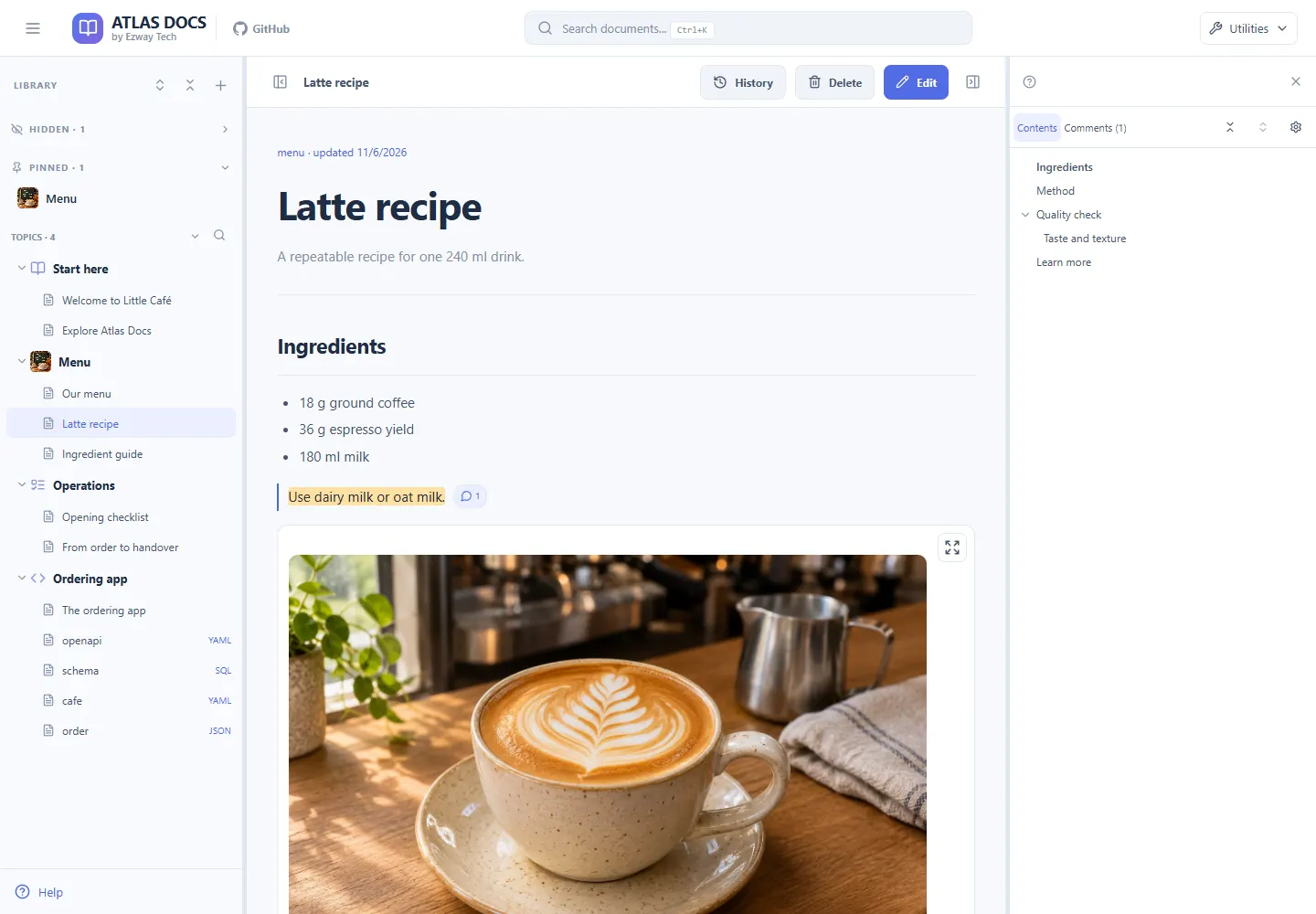
Read formatted articles with a table of contents, tables, images, links, and Mermaid diagrams.
Your files, made readable
Give your Markdown files a place to read, navigate, and explore. Bring diagrams, API definitions, and database schemas into the same searchable library.
Free · Open source · Self-hostable
Run on your computer or your own server.
More than Markdown
Start with simple notes, then explore the technical detail beside them. SQL and OpenAPI YAML blocks can also render directly inside a Markdown article.
.md
Read formatted articles with a table of contents, tables, images, links, and Mermaid diagrams.
.yml · .yaml
Turn OpenAPI YAML definitions into an endpoint viewer with parameters, responses, and schemas.
.sql
See tables, columns, and foreign-key relationships as a diagram from supported CREATE TABLE statements.
.yml · .yaml · .json
Keep configuration and reference files beside your articles. Read and edit them as source.
Preview images and PDFs, and play supported audio and video in the attachment library. Attach Word, Excel, PowerPoint, CSV, TXT, and ZIP files for download. These are supporting attachments; Office files are not rendered or edited as articles.
Move from an explanation to its API or database structure without leaving your library. These are real views from the Little Café sample.
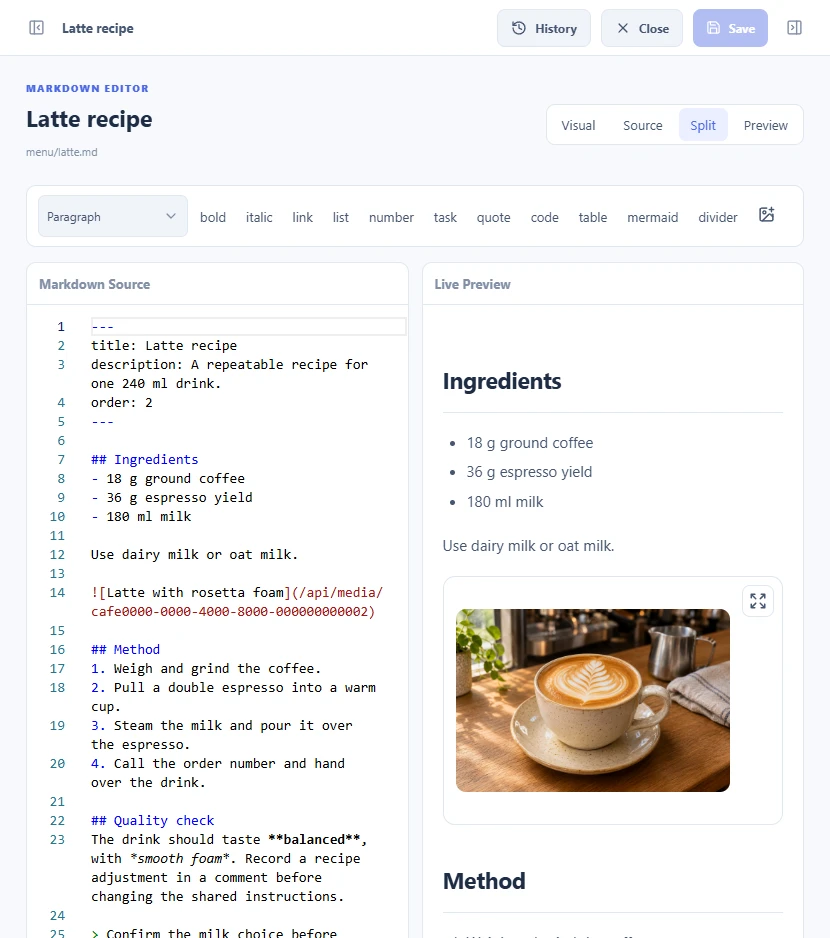
Edit Markdown beside its preview, or use Visual mode for simple prose.
View guide →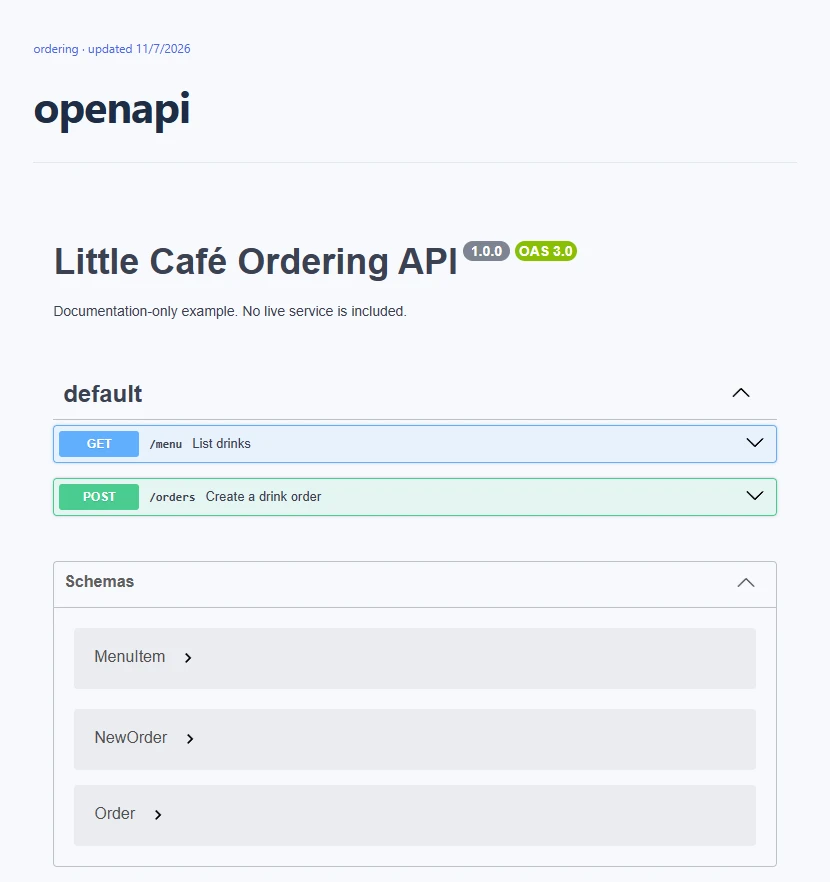
Browse endpoints, parameters, and responses from your OpenAPI YAML files.
View guide →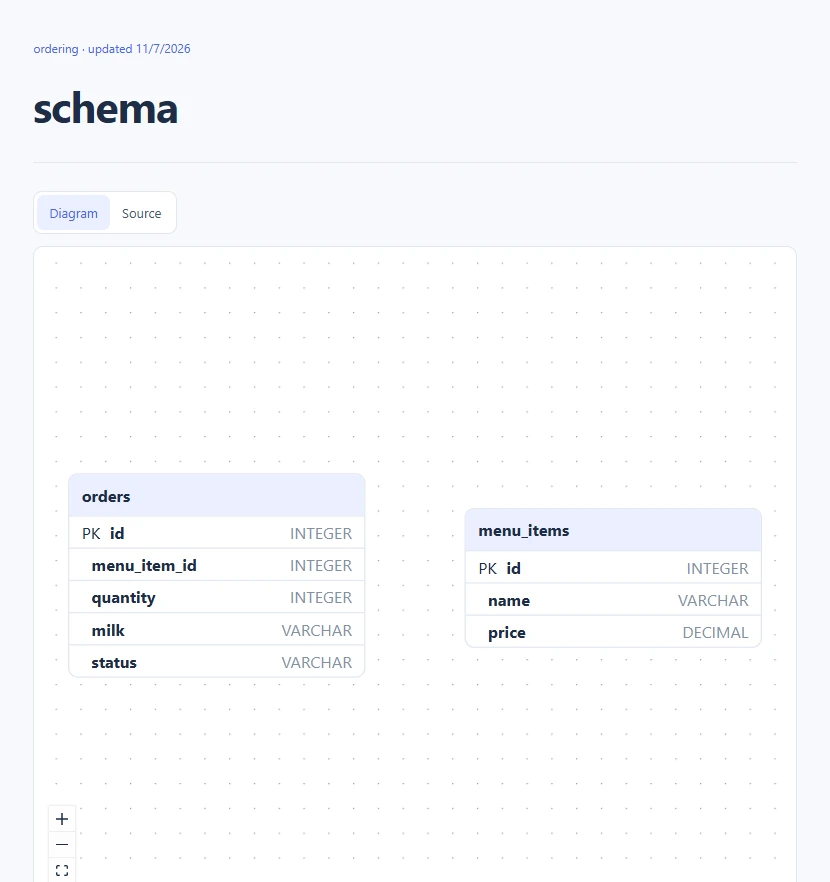
Explore tables and their relationships in a SQL schema diagram.
View guide →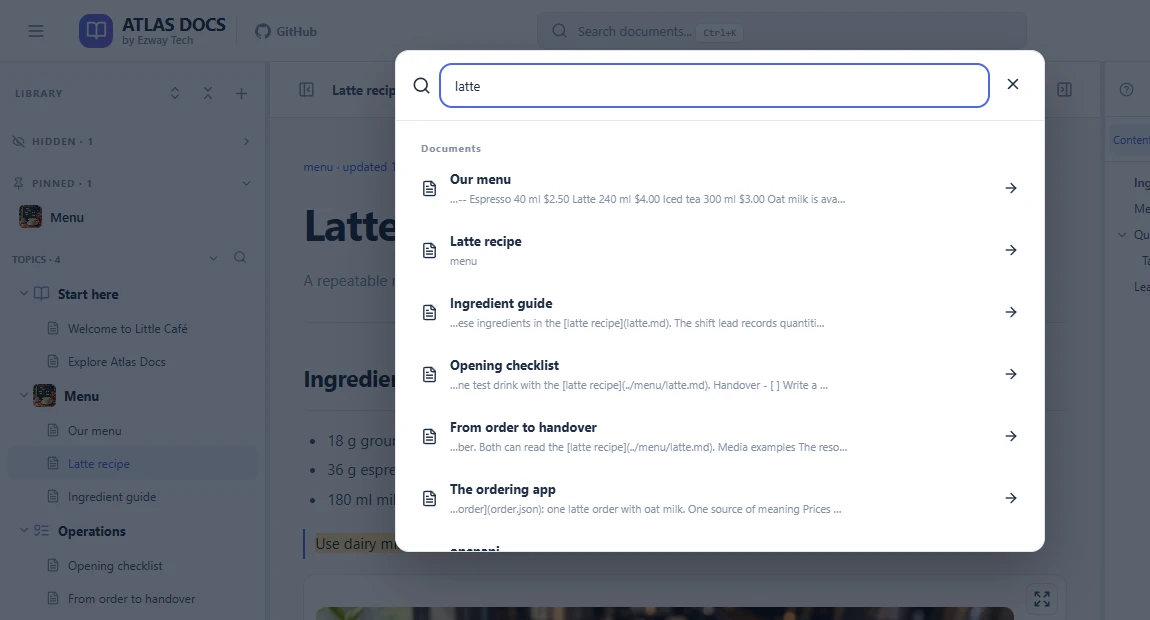
Browse by topic, pin frequent destinations, and search documents, folders, and comments.
View guide →Reuse supporting files, and crop or annotate images to explain a detail.
Attachment guide →Comment on a passage, compare saved revisions, and restore earlier content.
History guide →Export documents, attachments, comments, and history together in a ZIP backup.
Backup guide →Yes. Place your files inside a topic folder under the docs directory of your Atlas Docs library, following the naming and layout rules in the agent guide, then reload. You can edit files on disk or through the app. Direct disk edits do not create app revisions.
Yes. Run it on your own computer or server using npm, Docker, or a source build. The npm CLI and supplied Docker Compose bind to localhost by default. For access over the internet, put authentication in front of the entire app, including its API. Atlas Docs has no built-in login, user permissions, public read-only mode, or real-time collaboration.
No. Atlas Docs renders your Markdown files as articles, including supported tables, links, images, and Mermaid diagrams. Use Visual mode for simple prose, or Source, Split, and Preview for complex Markdown. The library still stores your documents as files.
Changed saves through the app create revisions with limited retention; direct file edits do not. ZIP backups include documents, attachments, and metadata. Restore a backup into an empty library.